 By Priya Kumari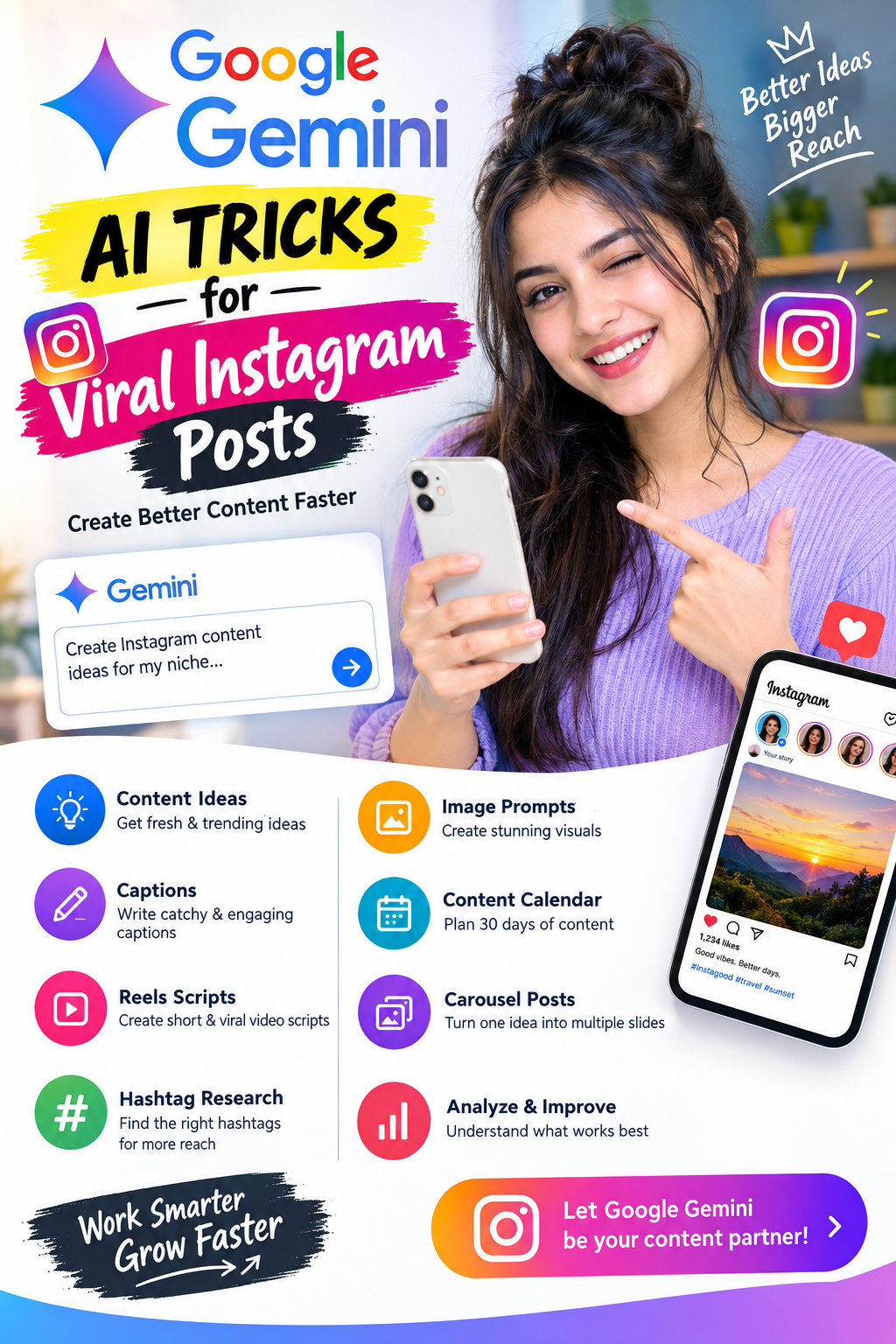
Instagram is no longer just about posting beautiful photos. In 2026, creators and businesses are increasingly using AI tools to generate ideas, write captions, improve images, create content plans, and understand what makes a post more engaging.
Google Gemini can be useful for many of these tasks. Instead of staring at a blank screen wondering what to post, you can use well-written prompts to turn a simple idea into an Instagram-ready content package.
In this guide, you’ll learn practical Google Gemini AI tricks for Instagram, including prompts for captions, Reels, carousels, hooks, hashtags, content calendars, image ideas, and more.
1. Use Gemini to Find Instagram Content Ideas
One of the biggest problems creators face is running out of content ideas.
Instead of asking Gemini:
“Give me Instagram ideas.”
Give it specific information about your niche, audience, and goal.
Try this prompt:
I run an Instagram page about [YOUR NICHE].

My target audience is [AUDIENCE].
My goal is to increase followers and engagement.

Give me 30 Instagram content ideas that:
- Have strong curiosity-based hooks
- Are easy to create
- Can work as Reels, carousels, or single-image posts
- Focus on problems my audience actually cares about

For each idea, give me:
1. Hook
2. Content concept
3. Suggested format
4. CTA
This can give you an entire month’s worth of ideas.
2. Generate Scroll-Stopping Hooks
The first few seconds of a Reel—or the first line of a caption—can determine whether someone continues consuming the content.
Ask Gemini to generate multiple hooks instead of using the first idea it gives you.
Prompt:
Create 20 short Instagram hooks about [TOPIC].

Make them:
- Curiosity-driven
- Natural and conversational
- Easy to understand
- Suitable for a worldwide audience
- No fake claims
- No clickbait that misleads the viewer

Keep each hook under 12 words.
Example
Instead of:
“5 Google Gemini Features You Should Know”
You could create a stronger opening such as:
“You’re probably using Gemini the wrong way.”
The second version creates a reason to keep reading while still being relevant to the topic.
3. Turn One Idea Into Multiple Posts
One of the smartest AI content tricks is content repurposing.
Suppose you create a post called:
“10 Google Gemini Tricks for Instagram Creators.”
You don’t have to stop at one post.
Ask Gemini to turn that idea into:
- 1 Reel
- 1 carousel
- 5 Stories
- 3 single-image posts
- 1 Facebook post
- 1 LinkedIn post
- 10 short hooks
Prompt:
Take this Instagram topic:

"10 Google Gemini Tricks for Instagram Creators"

Repurpose it into:
1. A 30-second Reel script
2. A 7-slide carousel
3. 5 Instagram Story ideas
4. 3 single-image post ideas
5. 10 short hooks
6. One engaging caption

Keep the messaging consistent but make every format feel native to the platform.
This lets you get considerably more content from one original idea.
4. Use Gemini to Write Better Instagram Captions
A common mistake is asking AI to write a generic caption.
Instead, provide the post context.
Better prompt:
Write an Instagram caption for a post about [TOPIC].

Audience: [AUDIENCE]
Tone: Friendly, useful and conversational
Goal: Encourage saves and shares

Structure:
- Strong opening line
- Short explanation
- 3 useful takeaways
- Natural CTA

Avoid:
- Generic motivational phrases
- Excessive emojis
- Fake urgency
- Overly promotional language

Keep it under 150 words.
You can also ask Gemini to produce different caption styles:
- Educational
- Storytelling
- Funny
- Professional
- Conversational
- Curiosity-based
5. Create Instagram Carousel Posts With Gemini
Carousel posts are useful when you want to explain a topic step-by-step.
Gemini can help you plan the entire carousel.
Prompt:
Create a 8-slide Instagram carousel about:

"Google Gemini AI Tricks for Content Creators"

For every slide provide:
- Short headline
- 1–3 lines of text
- Visual suggestion

Slide 1 should contain a strong hook.
The final slide should include a natural CTA to save and share the post.

Keep the language simple and mobile-friendly.
Example structure
Slide 1:
5 Gemini Tricks Every Creator Should Know
Slide 2:
Generate 30 content ideas in minutes
Slide 3:
Turn one idea into multiple posts
Slide 4:
Write better hooks
Slide 5:
Create Reel scripts
Slide 6:
Improve captions
Slide 7:
Build a weekly content calendar
Slide 8:
Save this post for your next content session.
6. Generate Instagram Reel Scripts
Short-form video requires a strong structure.
Ask Gemini to create a script using:
Hook → Value → Example → CTA
Prompt:
Write a 30-second Instagram Reel script about:

"[TOPIC]"

Use this structure:

0–3 sec: Strong hook
3–20 sec: Main information
20–27 sec: Example
27–30 sec: CTA

Make the dialogue natural and easy to speak.
Avoid robotic AI language.

Also provide:
- On-screen text
- B-roll suggestions
- Caption
This is especially useful if you regularly create educational or tutorial Reels.
7. Ask Gemini to Improve Your Existing Caption
You don’t always need to generate content from scratch.
Paste your existing caption into Gemini and ask it to improve the clarity and opening.
Prompt:
Improve this Instagram caption without changing its meaning.

Make it:
- More engaging
- Easier to read
- More conversational
- Better structured
- Suitable for mobile users

Give me 3 different opening lines.

Caption:
[PASTE YOUR CAPTION]
This is often better than asking AI to completely rewrite your content because your original voice remains part of the post.
8. Create a 30-Day Instagram Content Calendar
Instead of deciding what to post every morning, create a content calendar in advance.
Prompt:
Create a 30-day Instagram content calendar for my page.

Niche: [NICHE]
Audience: [AUDIENCE]
Goal: Increase followers and engagement

Use a mixture of:
- Reels
- Carousels
- Single-image posts
- Stories

For each day provide:
1. Topic
2. Hook
3. Format
4. Brief content idea
5. CTA

Avoid repeating the same topic.
You can then select the best ideas and create them throughout the month.
9. Use Gemini for Instagram Hashtag Research
Hashtags shouldn’t simply be a collection of random popular words.
Ask Gemini to organize them according to relevance.
Prompt:
Create a relevant Instagram hashtag strategy for my niche:

[NICHE]

Give me:
- 10 broad hashtags
- 15 medium-sized niche hashtags
- 15 highly specific hashtags
- 10 topic-based hashtags

Avoid irrelevant or misleading hashtags.

Also explain how I should combine them in different posts.
Remember that hashtags alone don’t guarantee reach. Content quality, viewer interest, retention, and engagement signals can also matter.
10. Turn a Blog Article Into Instagram Content
If you already have a website or blog, you can use Gemini to convert your long-form content into social posts.
For example, a 2,000-word article can become several pieces of Instagram content.
Prompt:
I have a blog article about:

"[ARTICLE TITLE]"

Turn it into:
- 3 Instagram Reels
- 2 carousel posts
- 5 Story ideas
- 3 single-image posts
- 10 hooks
- 5 short captions

Do not invent facts that aren't supported by the article.
This is a powerful way to connect your website and Instagram strategy.
11. Create Better Instagram Story Ideas
Stories don’t always need to be promotional.
Use Gemini to create interactive ideas.
Prompt:
Create 15 Instagram Story ideas for my [NICHE] page.

Include:
- Polls
- Questions
- Quizzes
- This-or-that
- Behind-the-scenes
- Educational Stories
- Engagement prompts

Make them easy to create with a smartphone.
For example:
Poll:
“Which AI tool do you use more?”
Option A: Gemini
Option B: ChatGPT
This can encourage viewers to interact with your content.
12. Create Better CTAs
A CTA doesn’t always need to say:
“Follow for more.”
Ask Gemini for CTAs based on the action you actually want.
For saves:
“Save this before you forget it.”
For shares:
“Send this to the friend who needs it.”
For comments:
“Which one would you try first?”
Prompt:
Give me 20 natural Instagram CTAs for [TOPIC].

Separate them into:
- Save CTAs
- Share CTAs
- Comment CTAs
- Follow CTAs

Make them conversational rather than salesy.
13. Use Gemini to Analyze Your Content
If you have existing posts that performed well and poorly, you can ask Gemini to identify patterns.
For example, provide several captions and their performance data.
Prompt:
Analyze these Instagram posts and their performance.

For each post I have provided:
- Reach
- Likes
- Comments
- Shares
- Saves
- Watch time, if available

Identify patterns in:
1. Hooks
2. Topics
3. Content format
4. CTA
5. Caption length

Do not assume causation from the data alone.
Give me hypotheses I can test with future posts.
This is more useful than simply asking:
“What should I post?”
You’re giving the AI actual information from your audience.
14. Create AI Image Prompts for Instagram
Gemini can also help you develop detailed visual concepts.
For example:
Create a detailed image-generation prompt for an Instagram post about:

"5 Google Gemini Tricks"

Style:
- Modern
- Premium
- Clean
- High contrast
- Mobile-friendly
- 4:5 Instagram format

Include:
- Main subject
- Background
- Lighting
- Composition
- Text placement
- Visual hierarchy

Leave enough empty space for the headline.
You can then use the resulting concept with your preferred image-generation tool.
15. Create Multiple Versions of the Same Post
Don’t assume the first version is automatically the best version.
Generate variations.
Prompt:
Create 5 different versions of this Instagram post.

Version 1: Educational
Version 2: Curiosity-driven
Version 3: Storytelling
Version 4: Short and punchy
Version 5: Friendly and conversational

Topic:
[TOPIC]

Keep the facts consistent in every version.
You can then test different approaches rather than relying on one creative.
16. Use the “Expert + Audience + Goal” Prompt Formula
One of the easiest ways to improve AI responses is to give Gemini more context.
Instead of:
“Write an Instagram post about AI.”
Try:
Act as an experienced social media content strategist.

My niche: AI tools
My audience: Beginners
Platform: Instagram
Goal: Increase saves and shares
Tone: Simple, friendly and practical
Topic: Google Gemini tricks

Create a 30-second Reel script with:
- 3-second hook
- 3 practical tips
- On-screen text
- CTA
The more useful context you provide, the more targeted the output can become.
17. Create a “Viral Post” Without Chasing Fake Virality
There is no prompt that can guarantee a post will go viral.
Instead, optimize for characteristics that can make content more useful and shareable:
- Strong opening
- Clear topic
- Useful information
- Easy-to-understand language
- Good visual presentation
- Specific audience
- Strong reason to save or share
- Consistent posting
- Testing different formats
Use Gemini as a content assistant, not as a guaranteed viral-post machine.
18. Bonus: One Master Gemini Prompt for Instagram
You can save this prompt and reuse it whenever you want to create a new post.
Act as my Instagram content strategist.

My niche: [NICHE]
My target audience: [AUDIENCE]
My goal: [FOLLOWERS / ENGAGEMENT / WEBSITE TRAFFIC / SALES]
Topic: [TOPIC]

Create a complete Instagram content package containing:

1. 5 strong hooks
2. Best hook recommendation based on clarity and curiosity
3. 30-second Reel script
4. On-screen text
5. B-roll/visual suggestions
6. Instagram caption
7. 10 relevant hashtags
8. 5 CTA options
9. 5 Story ideas
10. 7-slide carousel version

Keep everything:
- Natural
- Easy to understand
- Mobile-friendly
- Useful
- Non-misleading
- Suitable for my target audience

Do not use fake statistics or unsupported claims.
Final Thoughts
Google Gemini can make Instagram content creation much faster, but AI alone doesn’t make a post viral.
The best approach is to use Gemini for the repetitive parts of content creation—researching ideas, generating hooks, writing drafts, creating scripts, repurposing content, and planning your calendar—while you add your own experience, personality, examples, and creativity.
Start with one topic, create several formats from it, publish consistently, and then use your actual Instagram performance data to decide what to test next.
The goal isn’t to create more AI-generated content. It’s to create more useful content with less wasted time.